Privacy controls
Control who can see your profile, who can message you, and whether you appear in search.
EveryoneUpdated August 18, 2026
Waypoint Realms enforces your privacy choices server-side — they apply in search, the member directory, on your profile, and in messaging. Manage them under Profile → Privacy.
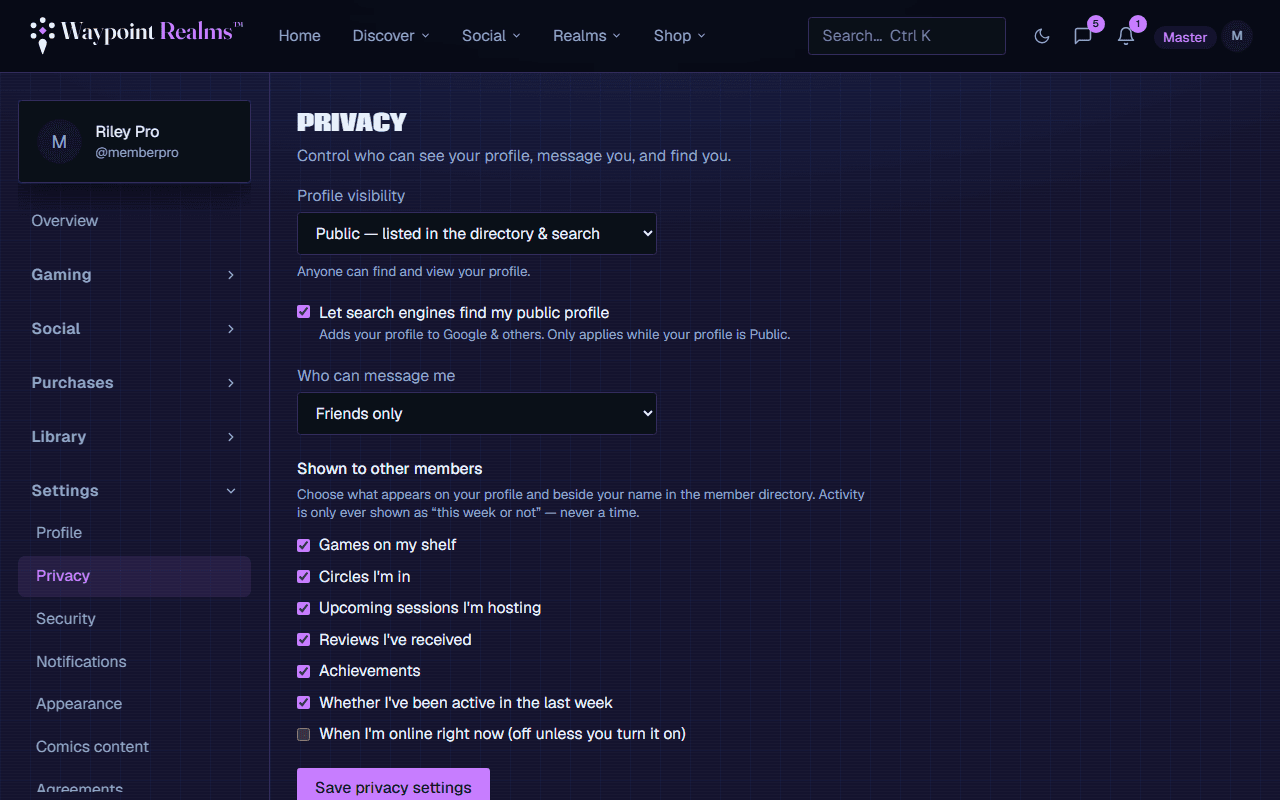
Profile visibility
- Public — anyone can view your profile.
- Friends only — only accepted connections see your full profile; others see a private stub.
- Private — your profile is hidden, and you're excluded from search and the directory.
Who can message you
Choose Anyone or Friends only. With friends-only (the default), people you haven't connected with can't open a DM. Blocked users can never message you regardless of this setting.
Search & activity
- Searchable — turn off to stay out of search and the member directory while keeping your profile reachable by direct link.
- Hide activity — hides your upcoming sessions on your public profile.
Tip
Looking to be more discoverable instead? Turn on the “looking for a group” badge under Profile.
Still stuck? Browse all help or contact us. To report someone or something, use the report action on the relevant profile, post, or session — it sends us the context automatically.