The Cosplay Realm
My Builds for pieces, budget and a task list back from the con; the Workshop's five tools on your own measurements; a WIP gallery and portfolio; a design shop and build tutorials.
The Cosplay Realm is about the making — the months before the photos. It holds your measurements, your build plans, and the reference you gathered along the way.
Early access
Plan & track
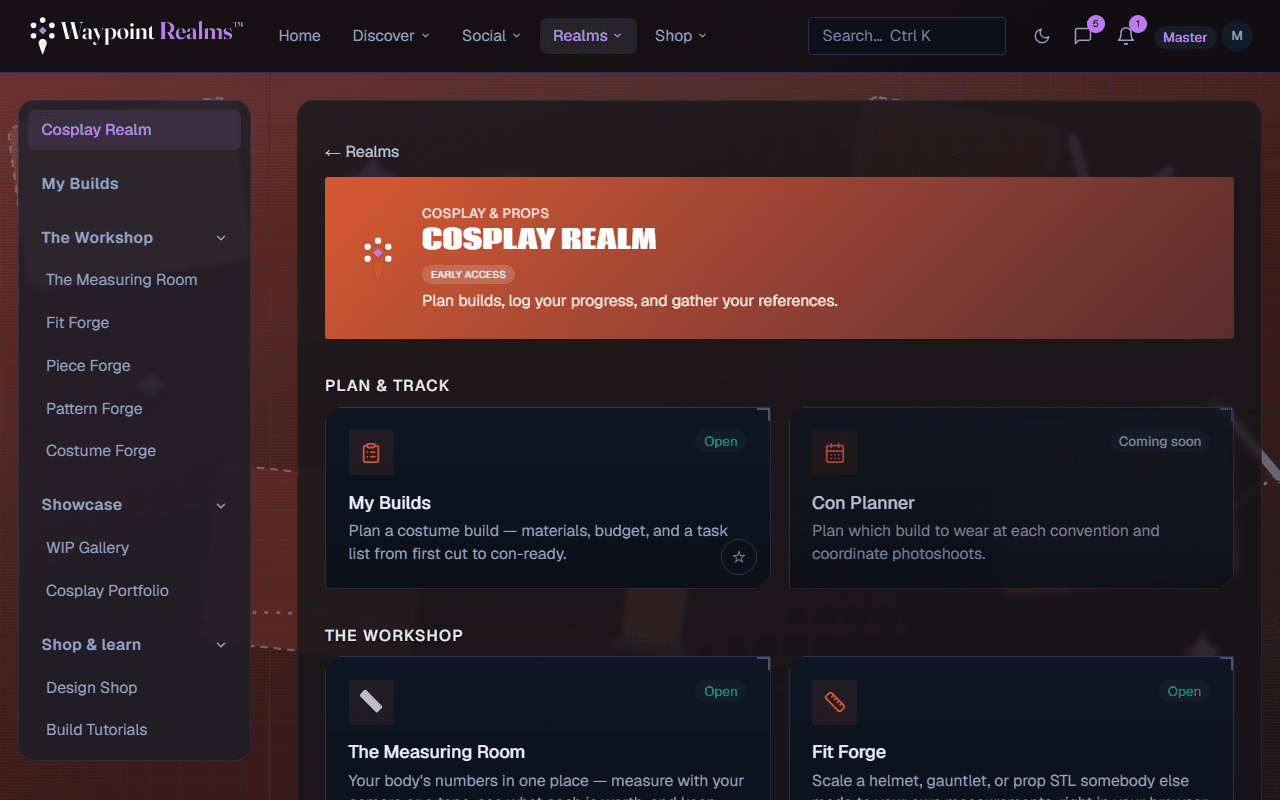
My Builds — a build is a costume in progress: the pieces you are making or buying with what each is estimated to cost and what you actually spent, a task list that can plan itself back from your con date, your references, and a photo log. Con days and open task deadlines show on your calendar. See My Builds.
Con Planner — which build to wear on which day of a con, and coordinating photoshoots. It is marked coming soon and does nothing yet.
The Workshop — five tools on one body
The Workshop is five tools that share one set of measurements. Pick a profile in one and the others use it too.
- The Measuring Room — your body's numbers, by camera or tape, each with a note of how it was taken. See the Measuring Room.
- Fit Forge — scales a helmet, gauntlet or prop STL somebody else made to your measurements. See Fit Forge.
- Piece Forge — model a piece from nothing, fit it to you, and unfold it to foam templates. See Piece Forge.
- Pattern Forge — draft a bodice, body or trouser block to your measurements and print it at true scale. See Pattern Forge.
- Costume Forge — wear your saved pieces together on one body and see what collides. See Costume Forge.
The Workshop runs in your browser. Photos you measure from and STL files you open never leave your device; what gets saved is numbers and settings.
What needs Plus or Pro
Showcase
WIP Gallery — every progress photo you have logged, across all your builds, newest first. Photos are added on a build; Log a progress photo takes you there.
Cosplay Portfolio — set a build to Finished and Public and it appears here, grouped by series or character, with its finish date and photo credit. The Community view shows everyone's finished builds. “Public” means other signed-in members, not the open web. See galleries for how uploads are screened.
Shop & learn
Design Shop — Piece Forge designs by other cosplayers, free to clone into your library or priced by their makers, and the place to publish your own. See the Design Shop.
Build Tutorials — how-to videos for armour, foam, sewing, wigs, paint and more, embedded from YouTube and Vimeo. Members submit them, and staff review each one before it appears. See Build Tutorials.
Cosplay is about the craft
Still stuck? Browse all help or contact us. To report someone or something, use the report action on the relevant profile, post, or session — it sends us the context automatically.