Pattern Forge: drafting a sewing block
Draft a bodice, sleeved body or trouser block to your own measurements, then tile it across ordinary printer paper and trace it onto fabric.
Pattern Forge drafts a block — the plain, close-fitting foundation shape that costume patterns are built from — to your own measurements, and tiles it across ordinary printer paper so you can tape it together and trace it.
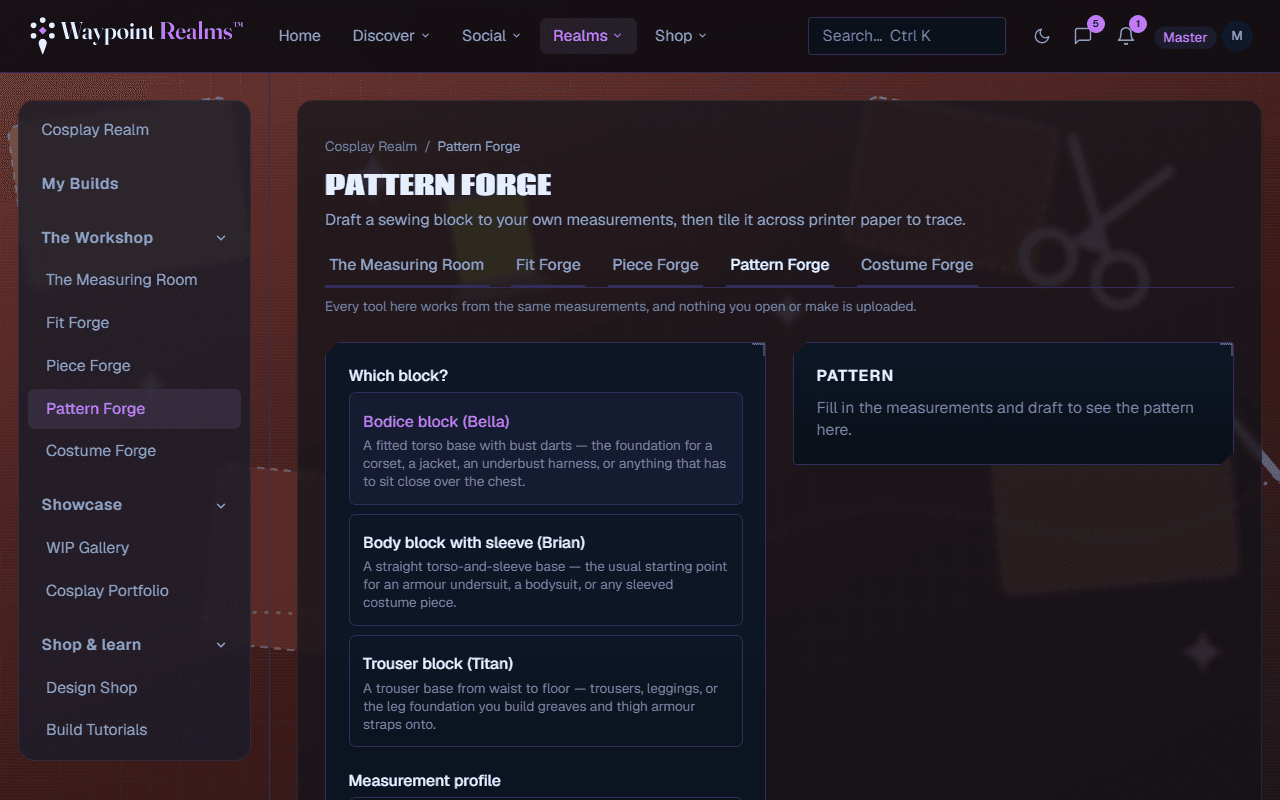
The three blocks
- Bodice block (Bella) — a fitted torso base with bust darts. The foundation for a corset, a jacket, an underbust harness, or anything that sits close over the chest.
- Body block with sleeve (Brian) — a straight torso-and-sleeve base. The usual starting point for an armour undersuit, a bodysuit, or any sleeved piece.
- Trouser block (Titan) — waist to floor. Trousers and leggings, or the leg foundation you build greaves and thigh straps onto.
Drafting one
Pick the block
Bodice, Body or Trouser, along the top. Choose by what you are making, not by what you own. A breastplate strapped over a bodysuit starts from Brian; a corset starts from Bella.Fill in what it needs
Each block lists the measurements it requires and counts how many are still missing. They pre-fill from the measurement profile the Workshop has selected, or you can type them all by hand. A number that came from a camera reading the Measuring Room was less than sure of says so — worth a tape check. Each missing measurement has a Measure it › link to the Measuring Room, which brings you back here. Numbers you type can be saved back to your profile; numbers you left alone keep their record of how they were taken.Draft
Draft pattern works once every required measurement is in. The pattern is drawn beside the form, and from then on any change — a measurement, the block, the ease, the seam allowance — redraws it a moment after you stop typing. This is the cheap place to be wrong, long before fabric.Set ease and seam allowance
Ease is how much room the block leaves over your measurements: Standard is the block's own, Close hugs the body, Loose leaves more to move in. The seam allowance starts at 10 mm. Dimensions on (paperless) writes the measurements onto the draft, for redrawing it by hand.Print at true scale
Choose A4 or US Letter — the choice is remembered, and shared with Piece Forge — and switch to Tiled to see the sheets. The print run counts how many it takes. Open print sheets opens a page ready to print, with each sheet labelled by its row and column; trim the margins and butt them edge to edge. Turn off “fit to page” and “shrink to fit” in your print dialog — both silently rescale the pattern, and a rescaled block is not your size any more. Before you cut, measure a known length on the printout with a ruler — the bodice and trouser blocks print a scale box for exactly this. Download SVG saves the draft as one file instead.
A block is not the finished pattern
Drafting for a build
Pattern › on a piece in My Builds opens Pattern Forge for that piece. Once you print or download the draft, the build lists it against the piece.
Pattern Forge needs Plus or Pro
Where it runs
In your browser. The draft is computed on your device and the pattern itself is never uploaded. When you print or download it, Pattern Forge keeps a note of the draft — which block, which profile, the seam allowance, the paper and how many sheets — so a build can list it.
Still stuck? Browse all help or contact us. To report someone or something, use the report action on the relevant profile, post, or session — it sends us the context automatically.